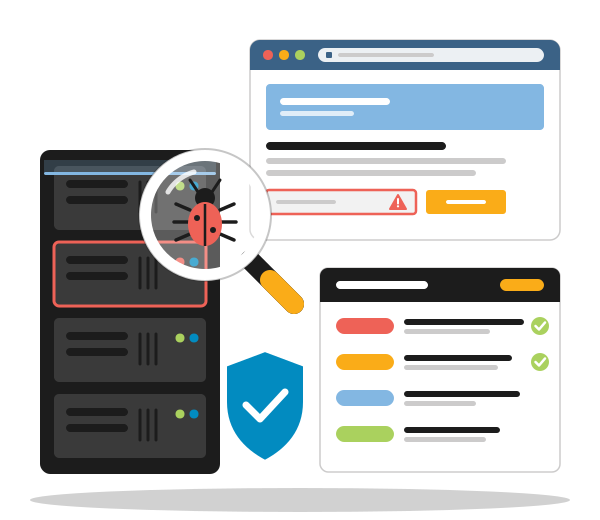
Vulnerability Scanning for Servers & Software in Namibia
Find the weak spots in your servers, websites and software before attackers do
Vulnerability Scanning for Namibian Businesses
Most successful attacks do not need a genius hacker. They use a known weakness that nobody got round to fixing — and a vulnerability scan finds those weaknesses first.
PHOENIX scans your servers, websites, web applications and software for known security vulnerabilities, outdated versions and risky settings, and tells you in plain language what to fix first.
We check what your systems show the internet, from open ports and forgotten admin logins to unpatched web servers, VPN gateways and plugins with published exploits. With a temporary login we can also look inside, at the missing updates and weak configurations an outside scan cannot see.
Every finding is reviewed by our certified cybersecurity analyst, rated by severity and explained with clear steps to fix it. On the servers and websites we look after, we can apply the fixes for you — and a follow-up scan confirms that the gap is closed.
How exposed are Namibian businesses today? Read our overview The State of Cybersecurity in Namibia.
Vulnerability Scan
- External & internal scans
- Servers, VPS & cloud machines
- Websites & web applications
- Software & library versions
- Open ports & exposed services
- SSL/TLS & email security checks
- Firewall & VPN checks
- Findings verified by an analyst
- Severity-rated report (CVSS)
- Fix guidance & follow-up scan
- One-off or scheduled scans
INDIVIDUAL QUOTE
One-off or regular scans
WHAT WE SCAN
Attackers look for the easiest way in — so we check every layer they would try
Servers & Operating Systems
Missing security updates, outdated services and risky settings on Windows and Linux servers, VPS and cloud machines.
Open Ports & Exposed Services
Everything your systems show the internet: open ports, remote desktop, database access and forgotten admin panels.
Websites & Web Applications
Common web flaws such as injection, cross-site scripting, broken access control and misconfiguration, checked against the OWASP Top 10.
Software & Dependencies
Outdated CMS versions, plugins, frameworks and code libraries with publicly known vulnerabilities (CVEs).
Encryption & Email Security
SSL/TLS certificates and settings, HTTPS on every page, and the SPF, DKIM and DMARC records that protect your email domain.
Firewalls, VPNs & Network Devices
The devices attackers probe first, checked for known flaws, outdated firmware and admin logins exposed to the internet.
How a Vulnerability Scan Works
Agreed in writing, scheduled around your business and finished with fixes that are checked.
A scan only helps if it leads to fixes. That is why our work does not end with an automated report: we verify the results, explain them in plain language, help you close the gaps and confirm with a follow-up scan that they are really closed.
-
Scope & Authorisation
We agree in writing which systems, addresses and times are in scope, and you confirm that you own them or are authorised to have them tested.
You get: a written scope for your sign-off -
Discovery
We map what is actually reachable — often more than expected — so that forgotten servers, subdomains and test systems are not missed.
You get: an inventory of what is exposed -
Scanning
Our scanners check every system in scope against regularly updated databases of known vulnerabilities, at agreed times; with a temporary login we also run deeper authenticated scans.
-
Verification & Report
Our certified cybersecurity analyst reviews the results, removes false alarms and rates each finding by severity, with clear steps to fix it.
You get: a prioritised report in plain language -
Fixing & Follow-Up Scan
We go through the report with you and fix the issues on systems we look after, or brief your IT team. A follow-up scan then confirms the gaps are closed.
You get: proof that the fixes worked
A vulnerability scan is not a penetration test. A scan finds known weaknesses across many systems quickly and at a predictable cost. A penetration test is a deeper, manual attempt to break in. For most small and medium businesses, regular scanning is the right place to start, and our report tells you honestly if a deeper test would be worth it.
What the Severity Ratings in Your Report Mean
Not every finding is an emergency. We rate each one with the CVSS standard, the common scale used to score known vulnerabilities, and adjust it to your situation, so you know what to fix first.
| Severity | What it means | What we recommend |
|---|---|---|
| Critical | Can be exploited easily, often remotely and without a password, and could give an attacker control of the system or its data. | Fix immediately. If a fix is not yet available, take the system offline or block access until it is. |
| High | A serious weakness that an attacker could use with some effort, for example to steal data or move further into your network. | Fix as a priority, within days rather than weeks. |
| Medium | A weakness that is harder to exploit or needs other conditions, but makes an attack easier when combined with other gaps. | Plan the fix for your next maintenance window. |
| Low | A minor issue or a setting that could be tighter, with little direct risk on its own. | Fix when convenient, or accept the risk as a conscious decision. |
Vulnerability Scanning FAQ
What is vulnerability scanning?
A vulnerability scan uses specialised software to check your servers, websites and applications against large, regularly updated databases of known security weaknesses: outdated software, missing updates, insecure settings and exposed services. The result is a list of the gaps an attacker could use, rated by severity, so you can close them before someone else finds them.
What is the difference between a vulnerability scan and a penetration test?
A vulnerability scan is broad and largely automated: it finds known weaknesses across many systems quickly and at a predictable cost, and it can be repeated regularly. A penetration test is a deeper, manual exercise in which a specialist actively tries to break in and chain weaknesses together. For most small and medium businesses, regular scanning is the right starting point, and our report tells you if a deeper test would be worthwhile.
Will a scan slow down or disrupt our systems?
Our scans are designed not to damage or change anything. Scanning does create extra traffic, so we agree the scope and the times with you in advance, scan during quiet hours where needed and leave out fragile or older systems if you prefer. You know exactly when we start and when we finish.
How often should we scan?
New vulnerabilities are published every day, so a single scan is only a snapshot. We recommend scanning internet-facing systems at least once a quarter, and after every major change such as a new website, server or firewall. Systems that hold customer data or handle payments are worth scanning every month.
Do you need passwords or access to our systems?
Not for an external scan: we only need the website addresses and IP addresses in scope. For a deeper authenticated scan you create a temporary, limited account for us, which you disable when we are done. We never need your personal passwords.
Can you scan systems that PHOENIX does not host?
Yes. We can scan servers, websites and applications wherever they run, whether with another hosting provider, in the cloud or on your own premises, as long as you own them or are authorised to have them tested. Some hosting and cloud providers have their own rules about security testing, so we check those with you before we start.
What do we receive after the scan?
A written report with a short summary for management, followed by every verified finding: the affected system, its severity, why it matters and how to fix it. We go through the results with you by video call, and once the fixes are in place a follow-up scan confirms that the gaps are closed.
Can you fix the vulnerabilities you find?
On the servers, websites and applications we host or maintain, yes: we can apply updates, change configurations and fix code as agreed with you. Where your own IT team or another developer looks after a system, our report gives them clear, specific instructions.
How much does vulnerability scanning cost?
It depends on how many systems are in scope, whether we scan from the outside only or authenticated as well, and whether you want a one-off scan or a regular schedule. We quote individually after a short scoping conversation, so you know the scope and the price upfront.
Why do we have to confirm that we are authorised?
Because we never scan a system without its owner's permission. Before every scan we agree the scope in writing and you confirm that you own the systems or are authorised to have them tested. That protects you, the owner of the systems and us.
Do we need to be in Windhoek to work with you?
No. Vulnerability scanning works over the internet, so businesses across Namibia and beyond work with us in exactly the same way. Scoping, results and follow-up take place by email and video call.
Security Guides From Our Blog
The State of Cybersecurity in Namibia in 2026: Threats, Gaps and Progress
Cybersecurity in Namibia in 2026: what NAM-CSIRT's numbers really show, the major breaches, the laws still missing and what businesses should do now.
Namibia's Data Protection Bill: What It Means for Your Website
Namibia's Data Protection Bill in November 2026: still not tabled, what it says about the Data Protection Authority, and a checklist for your website.
Namibia's Cybercrime Bill: Where It Stands and How to Protect Your Business
Where Namibia's Cybercrime Bill stands in November 2026, what the draft would criminalise, and a cyber security checklist for Namibian SMEs.
FIND YOUR WEAK SPOTS FIRST
Tell us what you run — we scope the scan with you and send you a quote