- You can open an online shop in Namibia without a payment gateway: customers fill a cart and send the complete order by WhatsApp or email, and you agree payment directly.
- Show the full price in N$ — including VAT if you are registered, plus any delivery cost — and describe each product well enough that nobody has to ask.
- Namibia's Electronic Transactions Act already recognises orders made by email and message; its consumer protection chapter is not yet in force, but following it now is good practice.
- Start with a small range you can always deliver, test the whole process from cart to doorstep, then grow.
Your customers already carry a shop window in their pocket — their phone — and many small Namibian businesses already sell through Facebook posts and WhatsApp chats. An online shop turns that into something customers can browse at any hour, with clear prices and a proper order, instead of a long chat that starts with “how much?”
This guide walks you through starting an online shop in Namibia step by step: what to sell and how to price it, product photos and descriptions, taking orders, getting paid, delivery and collection, the legal basics and a launch checklist. It is written for startups, side businesses and young companies as much as for established retailers.
Step 1: Decide What to Sell — and to Whom
Start with what you can reliably supply, photograph and deliver. Products that work well online are easy to describe, survive transport and are things people already ask you about.
- Start with a focused range. Ten products that are well presented and always in stock beat a hundred half-finished listings. You can add more once orders flow.
- Know your customer. Are you selling to people in your own town, across Namibia or into neighbouring countries? That decides your delivery options, your prices and the language of your shop.
- Check your capacity. Could you fulfil ten orders in a week? Fifty? Plan for success before it arrives.
- Services count too. Catering packages, cake orders, repairs, tours or classes can all be listed with a fixed price and a clear description.
Put the business side in order as well: a business bank account to receive payments and, depending on how you trade, a registered business name or company. Our guide on registering a business in Namibia explains the options.
Step 2: Set Prices That Include Everything
Online customers compare prices quickly, and nothing loses a sale faster than a surprise at the end. Set prices you can live with, and show the full amount.
- Work out your real cost per item: purchase or production cost, packaging, your time, bank and card charges, and a share of your running costs such as your website.
- Show prices in Namibian dollars (N$), including VAT if your business is registered for VAT. The standard VAT rate in Namibia is 15%. Our VAT calculator works out VAT-inclusive and VAT-exclusive amounts for you.
- Decide how delivery is charged: a fixed fee, a fee per area, free above a certain order value, or free collection. Show it before the customer orders.
- Keep prices up to date. When your supplier's prices change, change yours on the website the same day. On a PHOENIX website you can edit your own prices whenever you like.
Whether you must register for VAT depends on your taxable turnover. Check the current threshold with NamRA or a registered accountant — this is general information, not tax advice.
Step 3: Product Photos and Descriptions That Sell
Online, your photos and words do the job of the shop counter. Customers cannot pick the product up, so show and tell them everything they would otherwise ask.
Photos
- Use daylight near a window, or shoot outside in the shade. Avoid harsh midday sun and the flash.
- Use a plain, uncluttered background and keep it the same for every product, so your shop looks consistent.
- Take several angles, a close-up of details such as fabric, finish or labels, and one photo that shows the size — in someone's hand, for example.
- A decent phone camera is usually good enough to start with. Clean the lens first.
- Only use photos you took yourself or have permission to use.
Descriptions
- Start with what it is and who it is for, in one plain sentence.
- Then the facts: size, weight, material, colour options, quantity per pack and what is included.
- Answer the questions customers usually ask you on WhatsApp: care instructions, delivery time, warranty.
- Use the words your customers use. If they say “school shoes”, write “school shoes”, not “scholastic footwear”.
Good descriptions also help Google show your products to the people searching for them.
Step 4: Choose How You Take Orders
This is where many Namibian shops get stuck, because the usual advice is “connect a payment gateway”. In Namibia that is harder than it sounds: Stripe does not support Namibian businesses, PayPal has not let Namibian users withdraw to a local bank, and local card gateways typically want full company verification, a VAT registration, their own portal and high charges. Our guide to online payments in Namibia explains the details.
The practical alternative is a shop that takes the order online and leaves the payment to you and your customer:
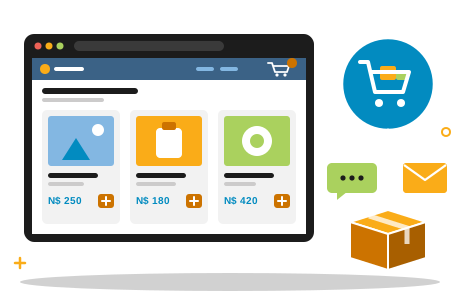
- The customer browses your catalogue and adds products to a cart, choosing quantities.
- The cart shows the running total in N$.
- At checkout the customer adds their name and contact details, and the complete order — items, quantities, total and details — is sent to you as a WhatsApp message, by email, or through an order form on your website.
- You confirm availability, delivery or collection, and how the customer will pay.
This is how the PHOENIX web shop works. You need no gateway contract, no verification process and no extra platform to start. Orders arrive complete in the WhatsApp or inbox you already check. A card-payment link or online checkout can be added later: your business first registers fully with a payment provider that supports credit card payments, including that provider's company verification, and then gives us the integration details, such as the merchant ID and API keys, so we can connect it to the same shop.
We plan and quote every online shop with a cart individually, whatever the size of your catalogue. If a simple product list is enough to start, our Presence package is the no-cart option: N$ 2 990 a year including VAT for a website with hosting that lists up to 20 products or services with prices, plus a WhatsApp button so customers can message you to order.
Step 5: Decide How Customers Pay
With orders arriving by WhatsApp or email, you agree payment directly with each customer. The common options in Namibia:
- EFT to your business bank account — by far the largest payment channel in Namibia by value. Send your banking details with the order confirmation and ask the customer to use the order number as the reference.
- Bank e-wallet or cash-send to your cellphone number — handy for smaller amounts and for customers without internet banking.
- Card on collection or delivery, with a card machine from your bank.
- Cash on collection or delivery — simple, but plan how you carry and bank cash safely.
Write your payment terms down and publish them on your website: which methods you accept, whether payment is due before dispatch, and how long you hold an unpaid order.
One rule protects you from the most common trick: release goods only when the money shows in your own account. Namibian banks have long warned that deposit slips and EFT confirmations can be forged, so a screenshot is not a payment.
Step 6: Plan Delivery and Collection
Delivery is part of your product. Decide what you offer before you launch, and explain it clearly in your shop.
- Collection. The customer collects from an agreed pick-up point at agreed times. Cheapest for you, and popular for local orders.
- Your own delivery in town. You or a driver deliver locally. Group deliveries by area and day to keep costs down, and take card or cash at the door if you agreed that.
- Courier or post to other towns. Compare a courier service and the post office's parcel service for the places your customers live: price, delivery time and how parcels are tracked.
Whatever you choose, tell customers the delivery cost and the expected delivery time before they order, pack items to survive long gravel roads and heat, and keep proof of dispatch. Selling into other SADC countries adds customs paperwork and costs, so find out what applies before you promise delivery across the border.
Step 7: The Legal Basics of Selling Online in Namibia
The main law for online trade in Namibia is the Electronic Transactions Act, 2019 (Act 4 of 2019). Most of it came into force on 16 March 2020, and the sections on electronic signatures and the accreditation of security services followed on 15 June 2026. The consumer protection chapter, Chapter 4, has not yet been brought into force as of November 2026.
What already applies
- Orders by email and message are valid. A contract is not without legal effect just because it was made by data message, and the Act's definition of a data message expressly includes email, web pages and mobile communications.
- Your shop invites offers; the customer's order is the offer. Products shown to the public online are presumed to be an invitation to make offers, unless you clearly say otherwise. You are not bound until you accept the order — which is exactly what your confirmation does.
- The contract forms when your acceptance arrives. A contract concluded by data messages is formed when and where the acceptance is received. So confirm every order in writing, in the same WhatsApp chat or email thread.
What Chapter 4 will require — good practice today
Once Chapter 4 commences, a supplier selling goods or services by electronic transaction will have to:
- show its full contact details on the website, including its place of business and email address;
- give a description of each product's main characteristics good enough for an informed decision;
- show the full price, including transport costs, taxes and any other fees;
- state its terms, how customers can access and keep a full record of the transaction, and their cancellation rights;
- let customers review the order, correct mistakes and withdraw before finally placing it;
- use a sufficiently secure payment system.
A supplier who fails to give this information or the chance to review the order can face cancellation by the customer within 14 days of receiving the goods. On top of that, the chapter gives consumers a seven-day cooling-off period: they may cancel without reason within seven days of receiving goods (or of concluding an agreement for services), paying at most the direct cost of returning the goods, with a full refund due within 30 days. There are exceptions, among them goods made to the customer's specifications or clearly personalised, goods that deteriorate or expire rapidly, food and other everyday goods delivered to the home or workplace, unsealed recordings or software, and newspapers, magazines and books.
The chapter also requires orders to be carried out within 30 days unless agreed otherwise, and marketing messages to identify the sender and offer a working opt-out. Consumers will be able to complain to an Online Consumer Affairs Committee, which can order a supplier to comply and impose fines of up to N$ 20 000.
A shop built on these principles — clear contact details, full prices, an order summary before sending, written confirmation and a fair returns policy — is simply a better shop, and it will not need rebuilding when Chapter 4 commences. Namibia also still lacks a comprehensive consumer protection act, as the ICT Minister noted in 2025, and a data protection law is on its way: our article on Namibia's Data Protection Bill explains how to prepare for handling customer data.
This section is general information about the Act as published, not legal advice. For your own situation, speak to a lawyer, and watch the Government Gazette for the commencement of Chapter 4.
Your Online Shop Launch Checklist
- Business bank account open, and your business registered if the way you trade requires it.
- Product list ready: names, prices in N$ (including VAT if you are registered), descriptions and photos.
- Delivery and collection options decided, with costs and delivery times.
- Accepted payment methods and payment terms written down.
- Shop information in place: contact details and place of business, delivery, returns and cancellations, and a privacy notice.
- A WhatsApp business number and an order email address — ideally on your own domain — and someone who answers them every day.
- A standard order confirmation with the total, your banking details, the payment reference and the expected delivery date.
- Three test orders from a phone — yours and two friends' — followed all the way from cart to delivery.
- Your shop address on your Facebook page, WhatsApp status, business cards and vehicle.
- A simple record of every order and payment for your books.
Then launch, listen to what customers ask and keep improving. When the orders justify it, add more products — or card payments, once you have registered with a payment provider that supports them. If you started with a simple product list, that is also the moment to move up to a full shop with a cart.